NVMe in the Front. Object Storage in the Back.
FlexBlock™ turns a bucket of object storage into a high-performance Linux block device, served through a local NVMe write-back cache. Format it, mount it, grow it, move it between hosts, or export it over the network. Your applications just see a disk.
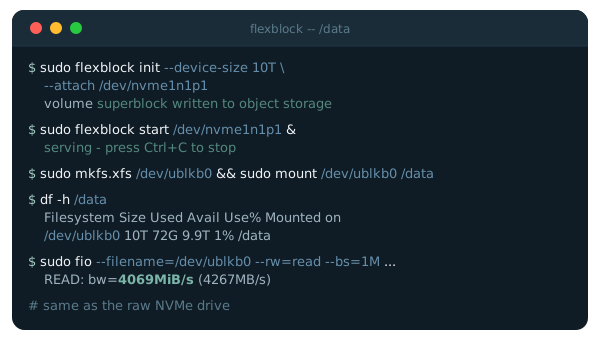
of raw NVMe sequential throughput
warm random 4 KiB read IOPS, four jobs
cold sequential read from S3, prefetch 64
of raw NVMe on MariaDB write-only OLTP
Measured on an AWS i7i.4xlarge against a raw partition of the same NVMe drive, with Amazon S3 in the same region. See the full results
Stop Choosing Between Fast and Durable
Local NVMe is the fastest storage a server has, but it is fixed in size and tied to one machine, and on cloud instances it disappears when the instance stops. Object storage is durable, elastic and inexpensive, but applications can't put a filesystem on it. FlexBlock gives you both.
Local NVMe alone
- Fastest I/O on the host
- Capacity capped by the drive
- Data tied to one machine
- Lost with the instance
Object storage alone
- Durable and elastic
- Low cost per terabyte
- No block device or filesystem
- Network latency on every request
flexBlock
- NVMe speed for the working set
- Capacity far beyond the cache
- Durable copy in your bucket
- An ordinary disk to every application
Why flexBlock
Block storage that behaves like a local disk and is priced, protected and portable like object storage.
Flexible Sizing
A volume can be far larger than its cache. The cache holds only what is in use and warms on demand, so you pay object storage prices for capacity and use NVMe for the hot set.
Durability for Ephemeral NVMe
Instance-local NVMe is fast and included in the price, but it vanishes when the instance stops. As a flexBlock cache it risks only writes not yet flushed, though what remains in the bucket may need a filesystem check.
Host Portability
Detach a volume here and attach it there, even on different hardware. An ownership marker and a write lease keep two hosts from writing the same volume at once.
Crash-Safe Write-Back
Writes are acknowledged from NVMe, a write-ahead log records intent, and dirty data streams to the bucket in the background. A daemon crash recovers with the filesystem still mounted.
Block Compression
Chunks can be compressed with zstd (the default), lz4 or snappy before they leave the host, shrinking the bucket and cold-read traffic as far as the data compresses.
Total Visibility
A Prometheus endpoint reports cache hits, write-back lag, object storage and license health, with systemd units and worked examples for production.
Four Commands, the Whole Lifecycle
One static binary, no servers to run. The volume's location comes from your license grant, and credentials come from your cloud's standard credential chain.
- 1
initCreates the volume under a prefix in your bucket, with its size, chunk size and compression.
- 2
attachBinds a local NVMe device as the cache and claims ownership. Nothing is copied.
- 3
startBrings up /dev/ublkbN. Format it, mount it and use it like any disk.
- 4
detachReleases the volume so another host can attach it. Its data stays in the bucket.
Backed by your object storage




Works with the Linux tools you already use
Put Your Block Storage on Object Storage
Follow Your First Volume in the docs to go from an empty bucket to a mounted filesystem, or talk to us about a license sized to your volumes.